MiSs Rs ArT RoOm

Welcome to our Online Art Classroom! This website shows everything happening in the art room! The students love hearing how fun, creative, and beautiful their masterpieces are! Thank you for stopping by!

Sunday, March 11, 2018

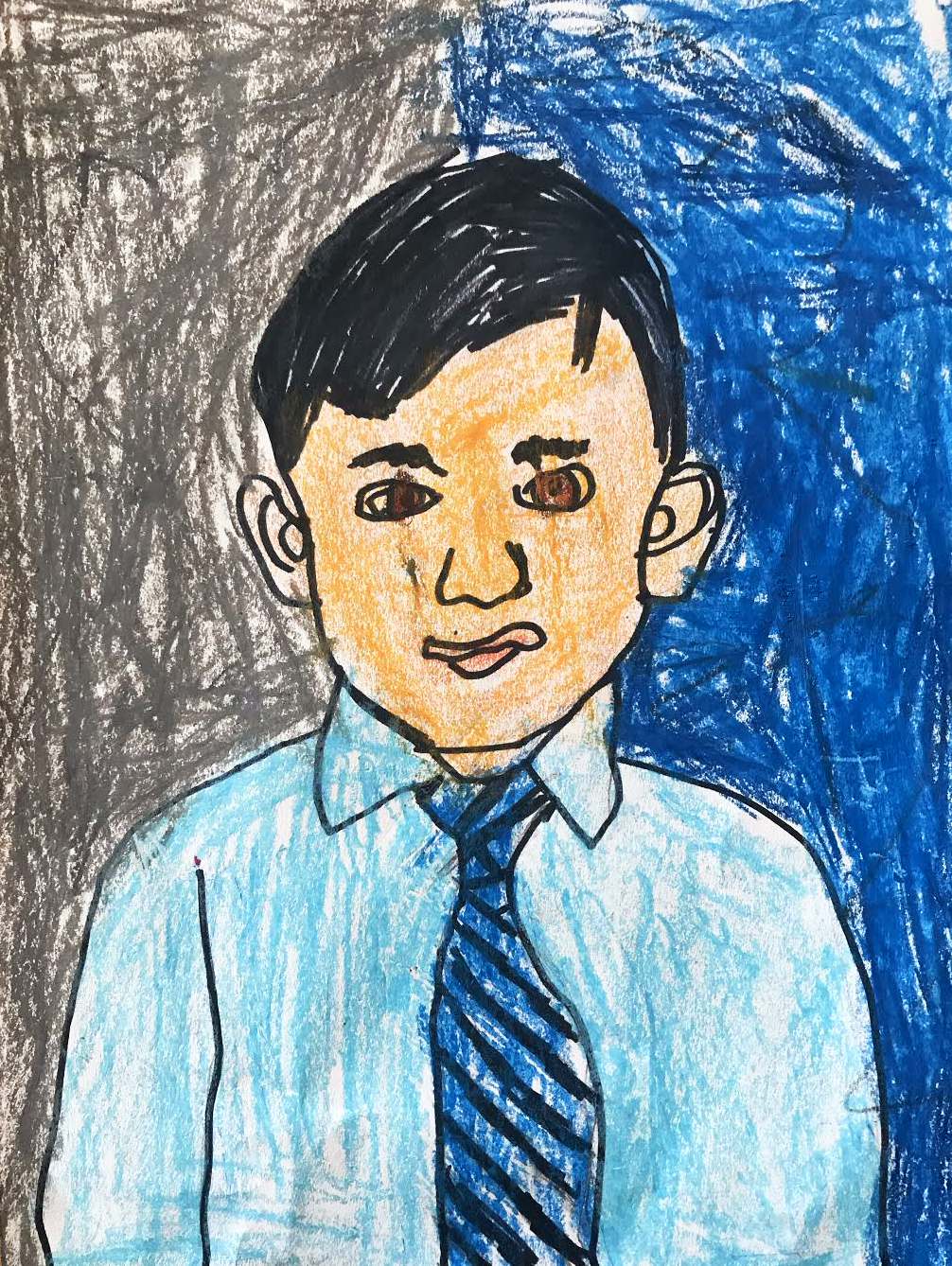
MATISSE STYLE PORTRAITS

Matisse Style Portraits

Learning Target 

I can...
  • Create a Matisse Style Portrait using drawing techniques learned in class
  • Use color combinations (complimentary, analogous, primary), shape variation (organic, geometric, biomorphic), and line types (outline, contour, thickness) inspired by Henri Matisse 
  • Use drawing techniques (facial features, face proportions) and design principles (harmony, balance, variation) based on the Fauvism Movement
  • Define Portrait (a picture depicting the face, head, and shoulder) 

Lesson One
Day One, Art Start

1. Woman With A Hat (1905) Henri Matisse
2. Read Matisse: The King of Color by Laurence Anholt
3. Discussion Questions "Do you have a personal style? Do you have certain things that you like to wear? What type of music do you like to listen too? What are some things that make you unique? What do you know about the famous and unique artist Henri Matisse? What do you think Matisse likes best in his pictures?" 

Lesson Activities

1. Choose a 9" by 12" White Paper
2. Use pencils to draw facial proportions (face, neck, chin) onto white paper
3. Use black sharpie marker to outline facial proportions for Matisse Style Portraits

Reminder:
  • Initials & Home Teacher on Back of Paper

Day Two, Art Start 

1. Retrieve Matisse Style Portrait for Assigned Table
2. Portrait of Madame Matisse (Green Stripe) (1905) Henri Matisse
3. Discussion Questions "Do you like this paintings? What do you think this woman is thinking about? What do you feel when you look at Henri Matisse's art? Do his pictures make you feel happy?"  

Lesson Activities

1. Use oil pastel to make shapes (biomorphic, geometric, free form) of color the positive space
2. Use oil pastel to make shapes (biomorphic, geometric, free form) in the negative space
3. Use black pastel to outline facial features (hair, nose, eyebrows) of portraits

Day Three, Art Start

1. Retrieve Matisse Style Portrait for Assigned Table
2. Set Up Studio Area (oil pastels, erasers, pencils)

Lesson Activities

1. Use oil pastels to add shadows (cast shadow, core shadow) to styled Portraits
2. Use oil pastel to add highlights (reflective light, light sources) to styled portraits
3. Use black oil pastel to outline portrait (head, neck, shoulder) of Matisse Style Portraits

Artist Examples


Student Examples


ACTION JACKSON PAINTINGS

Action Jackson Paintings

Learning Targets

I can...
  • Create an Action Jackson Painting using painting techniques learned in class
  • Use line variation (dotted, curved, straight), amorphous shapes (cloud, dust, ellipse), and color (monochromatic, gradation) inspired by American Abstract Expressionist Painter (1912-1956) Jackson Pollock
  • Use painting techniques (dripping, splattering, splashing) and design principles (movement, emphasis, rhythm) based on Abstract Expressionism
  • Define Action Painting (splashing, throwing, or pouring of paint onto a canvas)

Lesson One
Day One, Art Start 

1. One: Number 31 (1950) Jackson Pollock
2. Read Action Jackson by Jan Greenberg & Sandra Jordan
3. Discussion Questions "The dashed lines are lines in the road. The curved lines are like curvy roads. The dotted lines remind us of how we use the glue in the art room. The zigzag line is like a lighting bolt and the straight line is like a rigid robot. What type of emotions might connect to these lines? Why do you think he would abandon this artwork when he became famous for it? How do you think his personal experiences influences his paintings?"

Lesson Activities

1. Choose 18" by 24" Painting Paper
2. Use monochromatic colors (light blue, blue, dark blue) to fill in the positive space
3. Use tints (white, grey, black) to lighten or darken the positive space

Reminder:

  • Initials & Home Teacher on Back of Paper

Day Two, Art Start

1. Retrieve Action Jackson Paintings for Assigned Table
2. Number 5 (1948) Jackson Pollock
3. Action Painting- is the splashing, throwing, or pouring of paint on a canvas. "Jackson Pollock would move quickly when dripping, wobbling, or throwing paint onto his canvas. His paintings showed emotions, happiness or anger, in the expressive marks of his paintings. What do you think? Do some of the marks in this painting remind you of dancers dancing?" 

Lesson Activities

1. Use monochromatic colors (light green, green, dark green) to fill in the negative space
2. Use tints (white, grey, black) to lighten or darken the negative space
3. Use texture tools (comb, plate, stamps) to add details to Action Jackson Paintings

Day Three, Art Start

1. Retrieve Action Jackson Paintings for Assigned Table
2. Set Up Studio Area (paint buckets, sticks, rollers)

Lesson Activities 

1. Use texture tools (combs, plate, stamps) to add details to paintings
2. Use dry brush techniques (wash, blend, scratch) to fill in positive space
3. Use dry brush techniques (wash, blend scratch) to fill in negative space

Artist Examples


Student Examples


SCIENCE FICTION SELF PORTRAITS

Science Fiction Self Portraits

Learning Targets 

I can...
  • Create a Science Fiction Self Portrait using techniques learned in class 
  • Use metallic colors (bronze, silver, gold), texture variation (rigid, smooth, metal), and value (highlights, shadows, tones, hues) inspired by Brazilian Artist (1876-1910) Henrique Alvim Correa
  • Use science connections (biomechanics, artificial intelligence, computer programming) and design principles (movement, proportion, variation) based on 19th Century Art Movements
  • Define Portrait (a picture depicting the face, head, and shoulders) 

Lesson One
Day One, Art Start

1. Martians Land (1906) Henrique Alvim Correa
2. Science Fiction Short Stories I, Robot by Isaac Asimov & War Of The Worlds by H.G. Wells
3. Discussion Questions "What is the same and what is different about science and art? Do you think other people should see Henrique Alvim Correa's artwork? What would you do if you owned one of the machines in the stories? If you could interview Henrique Alvim Correa, what questions would you have? If you made a robot, what would it look like and what would it do? What would you look like as an android?" 

Lesson Activities

1. Choose 12" by 15" White Paper
2. Use pencil to draw an outline of a portrait (head, face, shoulders) 
3. Add robot parts (gears, lasers, antennas) to Science Fiction Self Portrait

Reminder:
  • Initials & Home Teacher on Back of Paper

Day Two, Art Start

1. Retrieve Science Fiction Self Portrait for Assigned Table
2. Martian In The Forest (1906) Henrique Alvim Correa
3. Reflective Discussion "Science Fiction Art has paralleled technology, science, and literature of the past century. Illustrations from I, Robot by Isaac Asimov, War of the Worlds by H.G. Wells, and The Iron Man: A Children's Story in Five Nights by Ted Hughes helped inspire dreams of space exploration, futuristic societies, and alien races. With innovations in computer programming and imaginations of artists, humans merged with machines were coined "cyborg" and "biomechanic" in popular culture. This gives us an opportunity to image ourselves as bionic beings and create mechanical assemblages based on these ideas." 

Lesson Activities

1. Use black sharpie marker to outline facial features and robot parts of portraits
2. Use embellishments (metallic foil, electronic components) to add texture to portraits
3. Add a rigid surface (panel, foam, cardboard) to back of Science Fiction Self Portraits

Day Three, Art Start

1. Retrieve Science Fiction Self Portrait for Assigned Table
2. Set Up Studio Area (metallic markers, multicolored foil, color pencils)

Lesson Activities 

1. Use metallic markers (silver, gold, bronze) to fill in positive space of portraits
2. Use metallic markers (silver, gold, bronze) to fill in negative space of portraits
3. Use colored pencils to fill in white space of Science Fiction Self Portraits

Artist Examples 


Student Examples